Features

Every part of event day,
in one place.

From the first invitation to the post-event report, Plenum covers the whole lifecycle. Here is what you get out of the box.

01

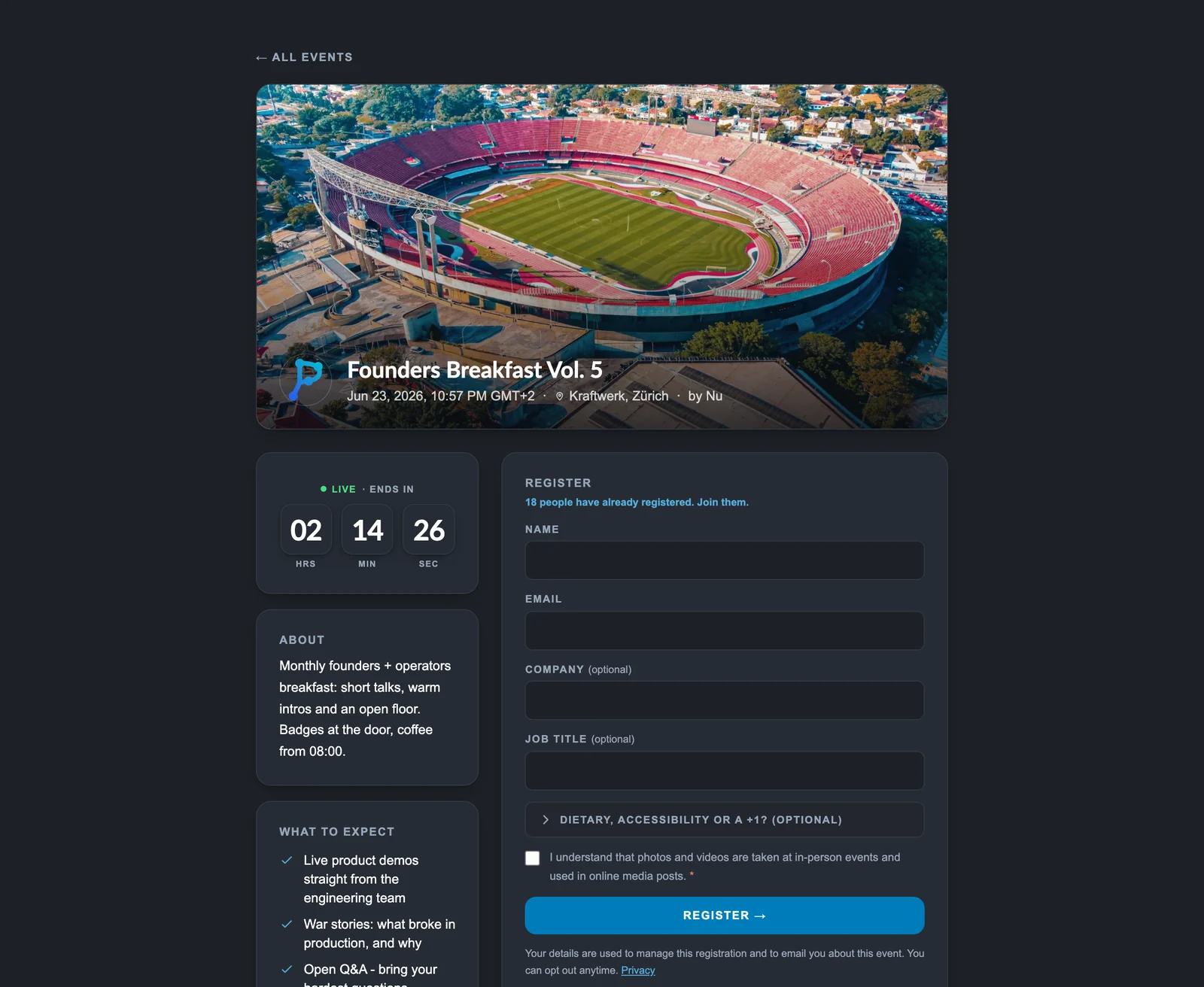
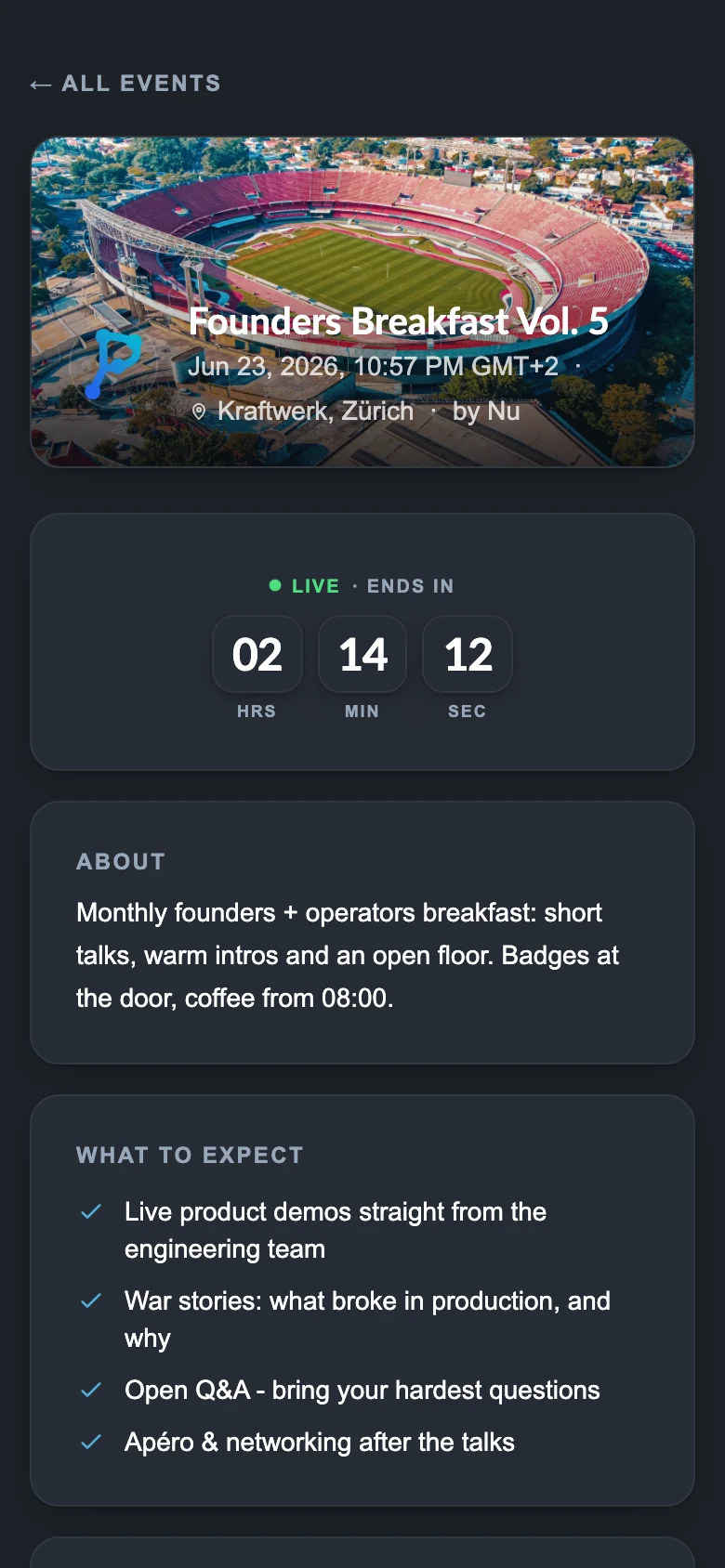
Registration & public pages

Turn any event public with a single toggle. Plenum builds the page, the registration flow and the share assets for you.
  • Pretty event URLs like /e/summer-party
  • Name and email sign-up, optional company and job title
  • Join-the-waitlist when full, with operator auto-promotion
  • Optional microsite blocks: agenda, FAQ, directions
  • Calendar download with configurable reminder alarms
  • Composed social cards on every shared link
A public event page with registration
Registration & public pages on a phone

02

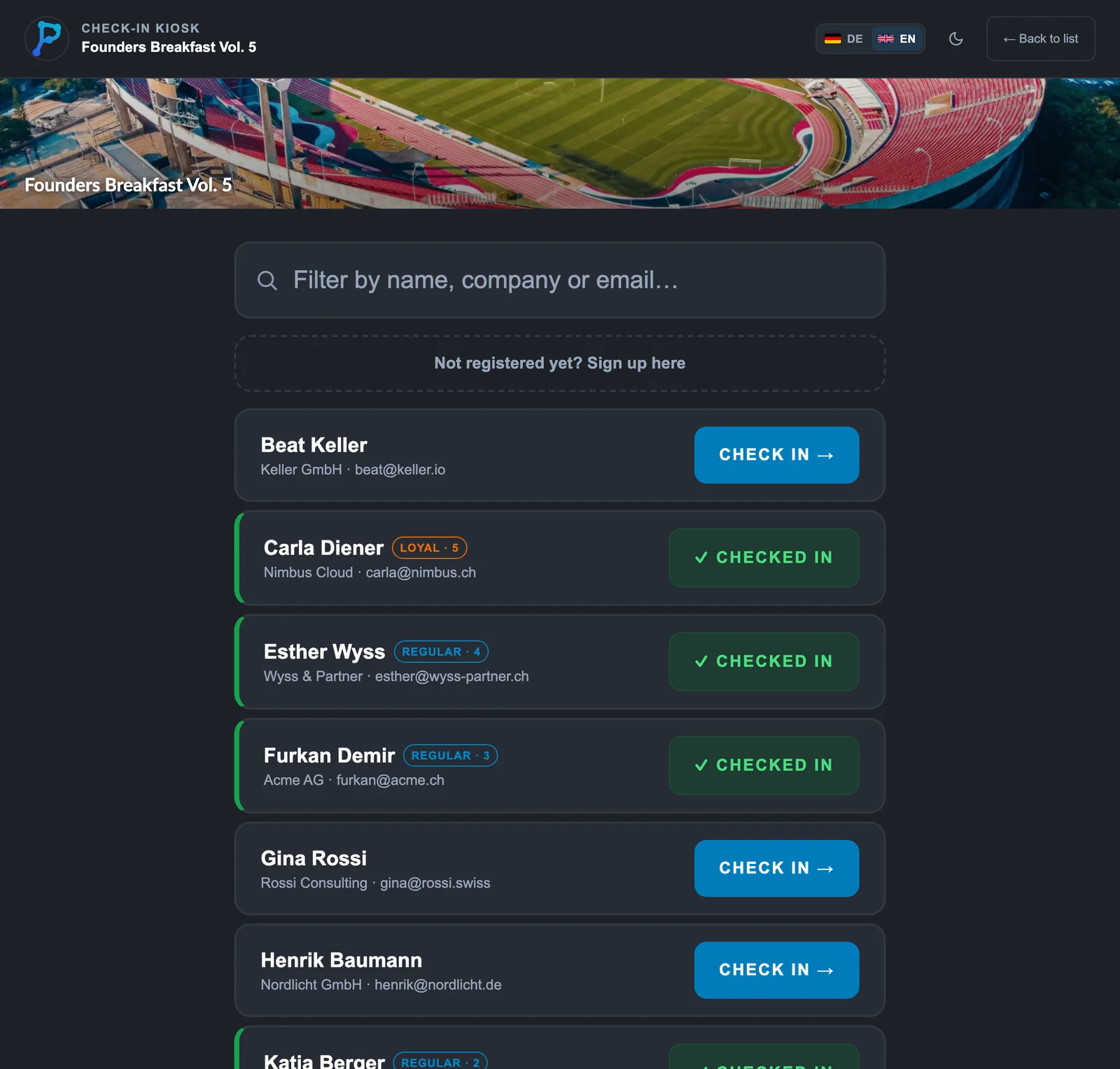
Check-in & door kiosk

Get people through the door fast, even when the wifi drops.
  • QR scan check-in from any phone
  • Tablet kiosk with walk-up self-registration
  • One-tap company group check-in
  • VIP flags and late-arrival markers
  • Bulk actions with an undo window
  • Offline-resilient queue with a retry panel
The tablet kiosk used at the door

03

Attendee table & turnout intelligence

One live roster that does the thinking: who is coming, who is at risk, who matters most.
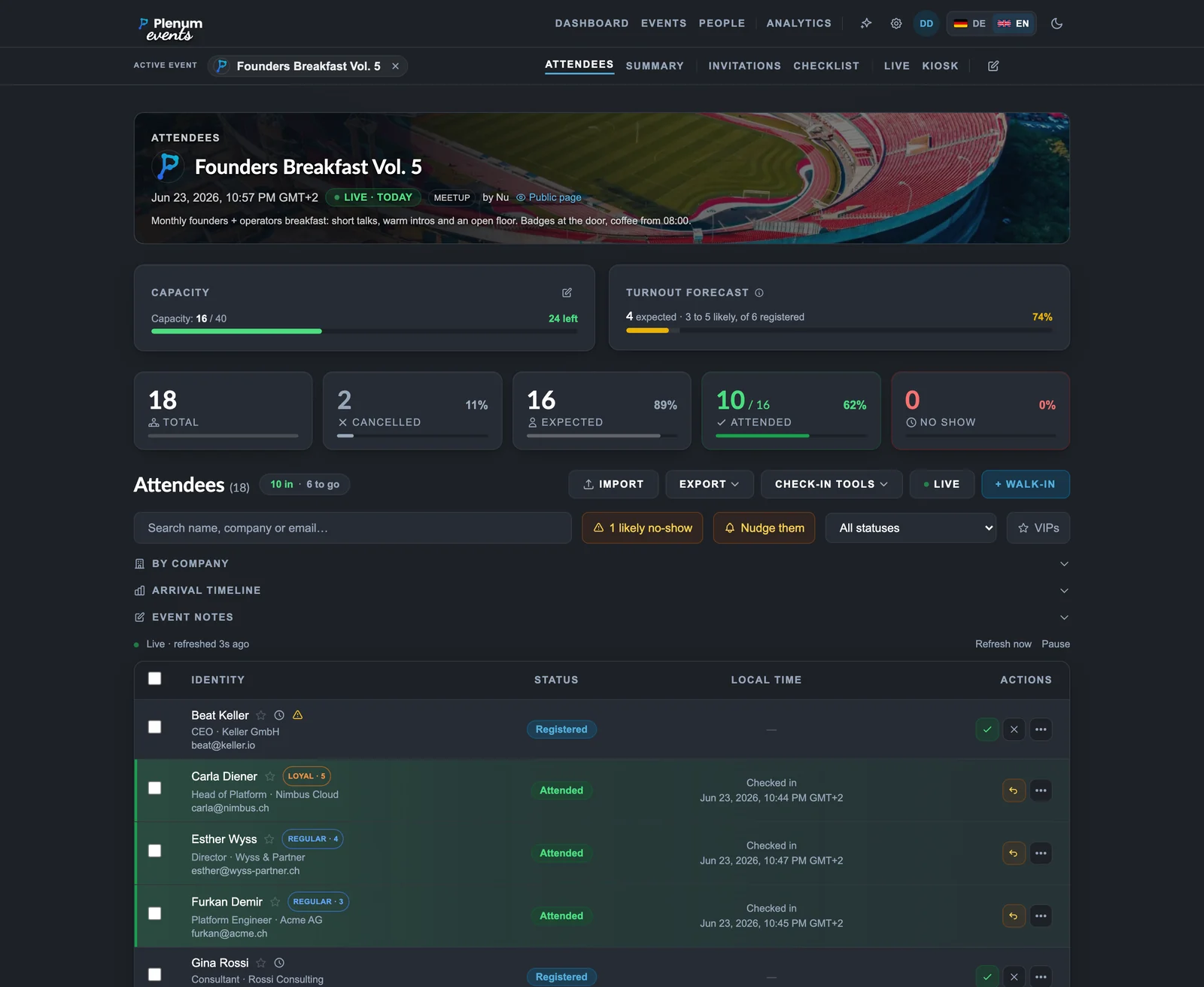
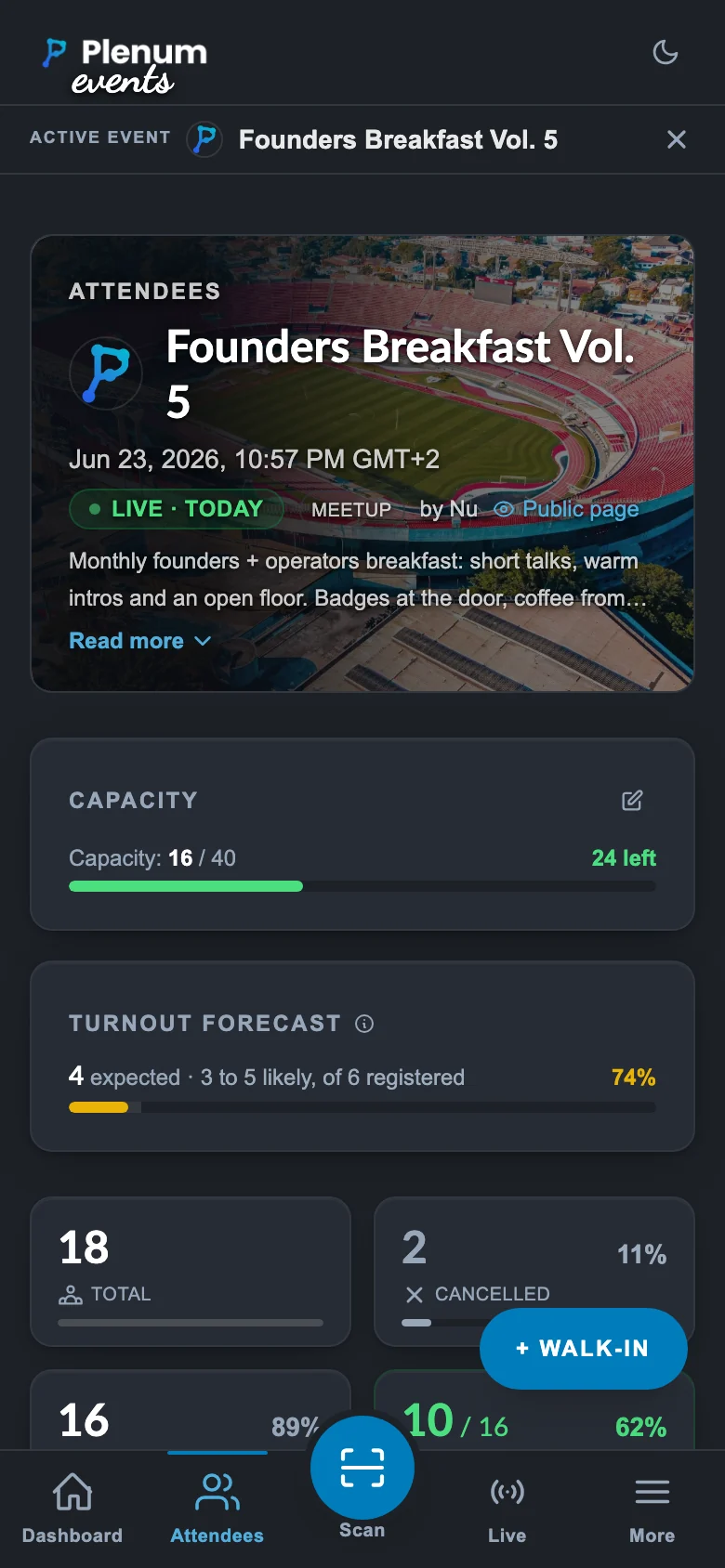
  • Live registered, checked-in, no-show and cancelled counts
  • Turnout forecast for the expected final headcount
  • No-show risk flags drawn from each contact’s history
  • Loyalty tiers for repeat and regular attendees
  • VIP markers and capacity-versus-registered tracking
  • Search, filter and bulk actions across the whole list
The attendee table with turnout forecast, loyalty tiers and no-show signals
Attendee table & turnout intelligence on a phone

04

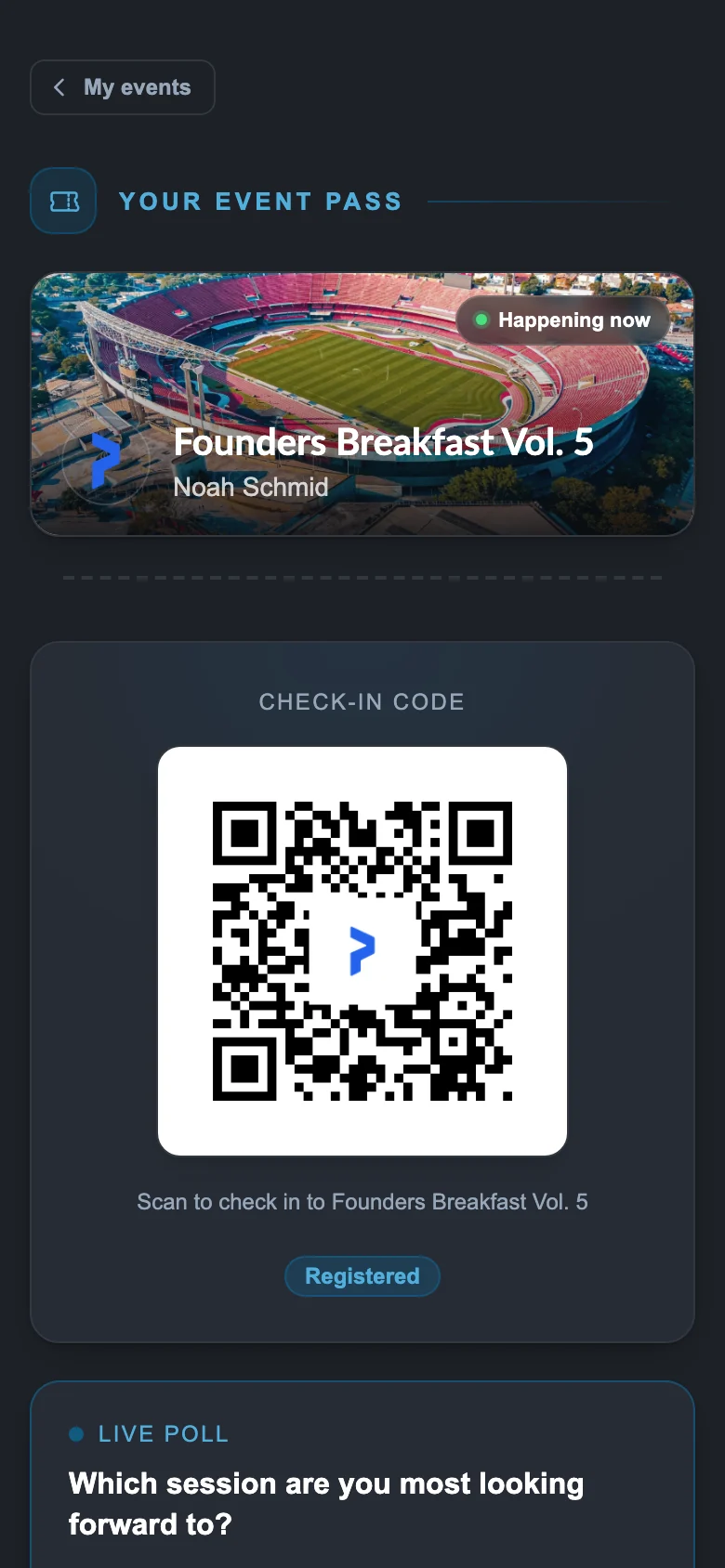
The attendee Pass

A no-account, token-signed Pass at every attendee's own URL.
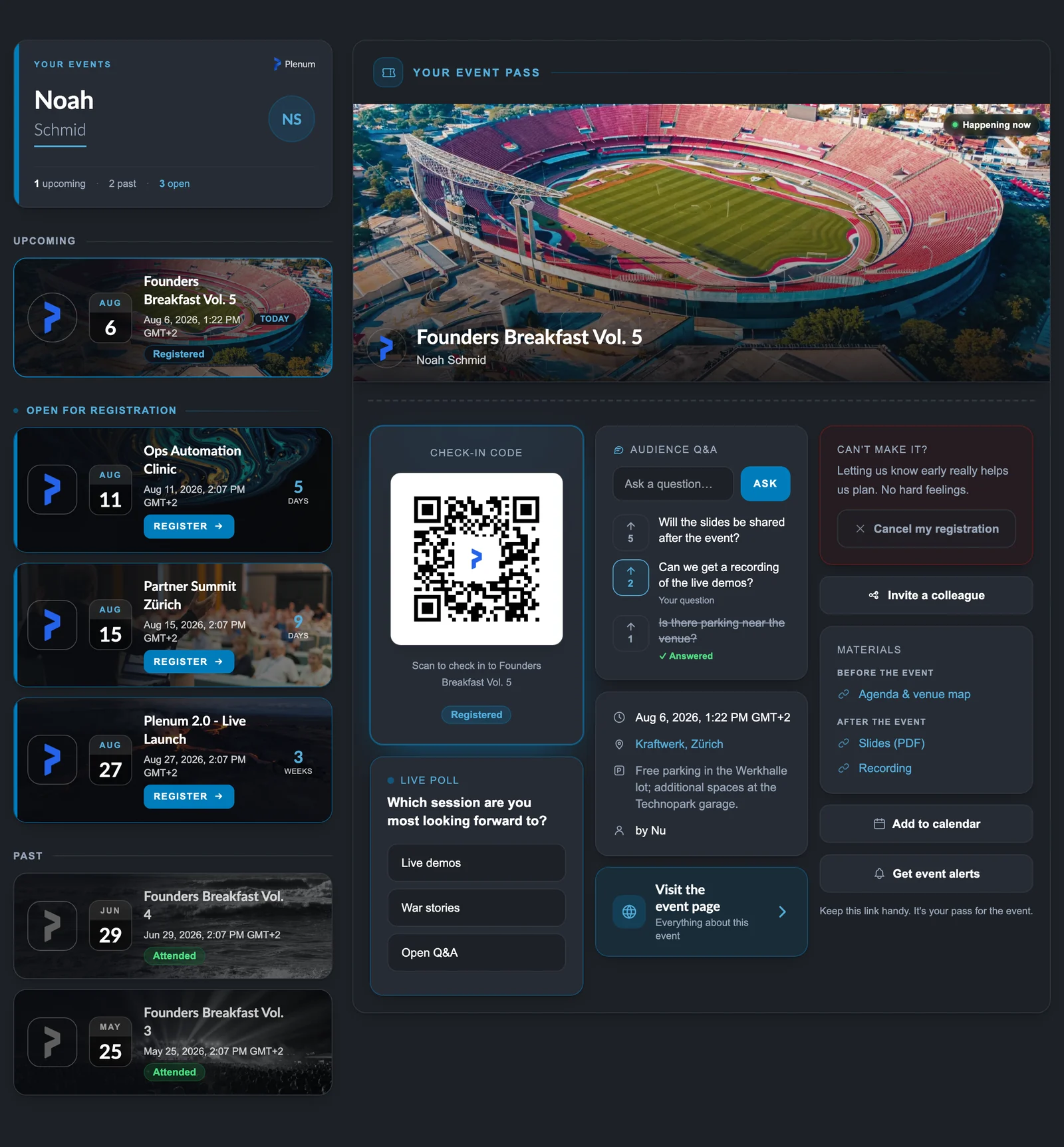
  • Live check-in QR that flips Registered to Checked in
  • Live polls and audience Q&A
  • Opt-in web-push event alerts
  • Personal calendar ticket carrying their own entry QR
  • Apple Wallet and Google Wallet passes
  • Invite-a-colleague share
  • Post-event feedback and materials
The attendee Pass on a phone

05

The attendee Hub

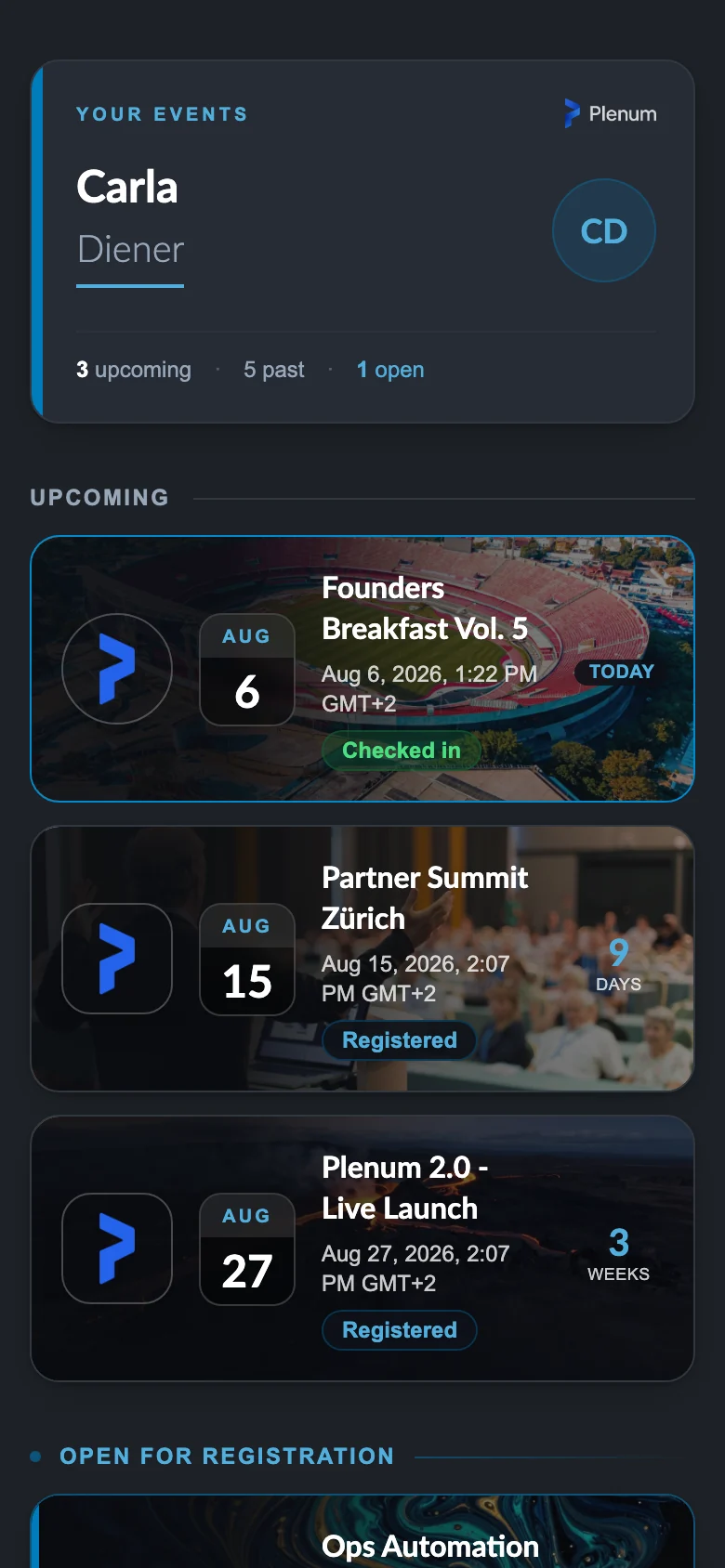
Every guest gets one personal link to all of their events, past and upcoming, with no account.
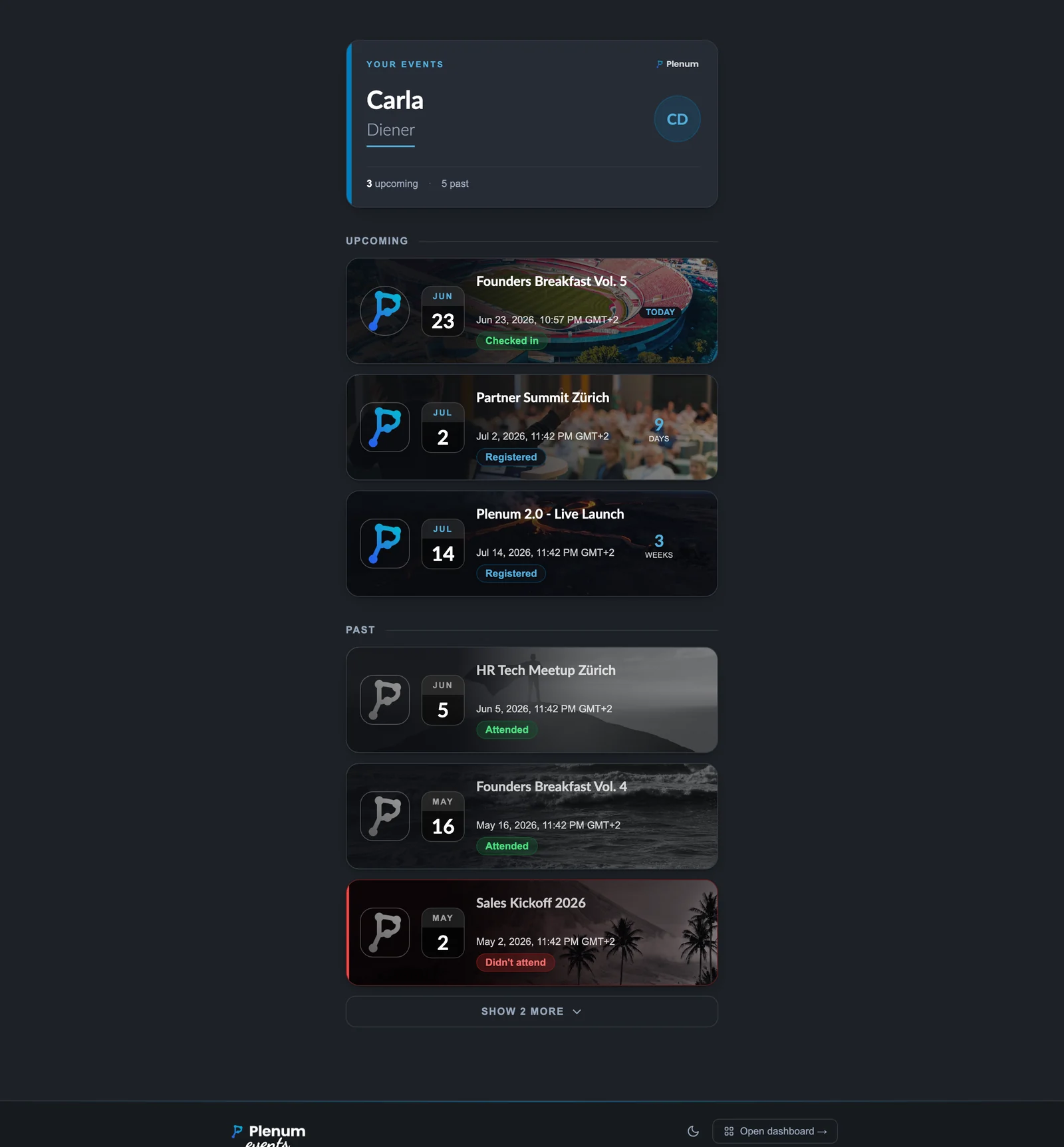
  • A single private URL across every event they joined
  • Upcoming events carry their own live check-in QR
  • Full attendance history: attended, no-show, cancelled
  • Re-download calendar tickets and post-event materials
  • Token-signed and private to each person, nothing to install
The attendee Hub showing a person’s full event history

06

Live view on the big screen

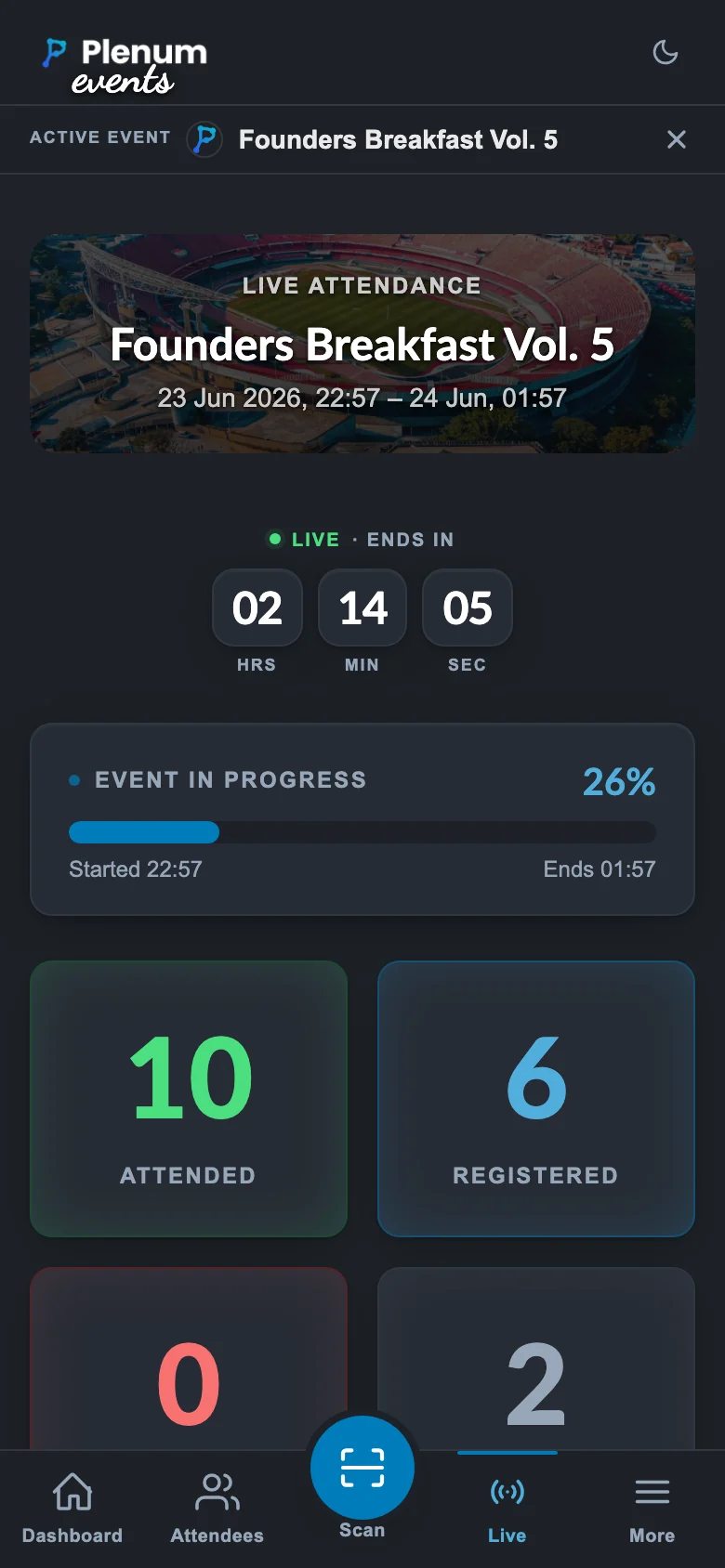
Put the room on the wall and watch it fill in real time.
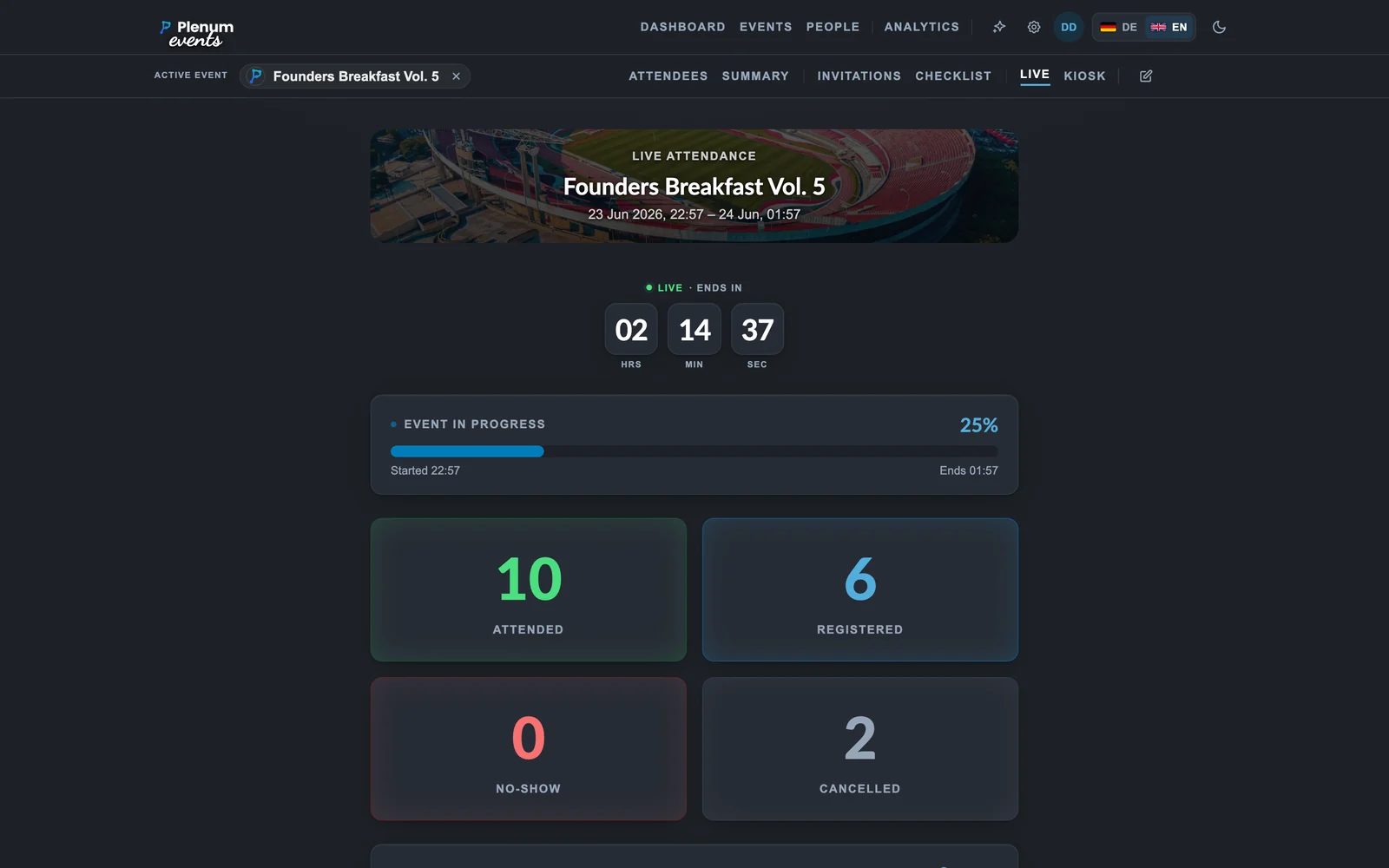
  • Server-Sent Events, updates without a refresh
  • Check-in activity feed
  • VIP arrival highlights
  • Arrival-pace metric and an event-progress bar
  • Run live polls and audience Q&A from the wall
  • Stale-connection indicator if the link drops
The real-time live view dashboard
Live view on the big screen on a phone

07

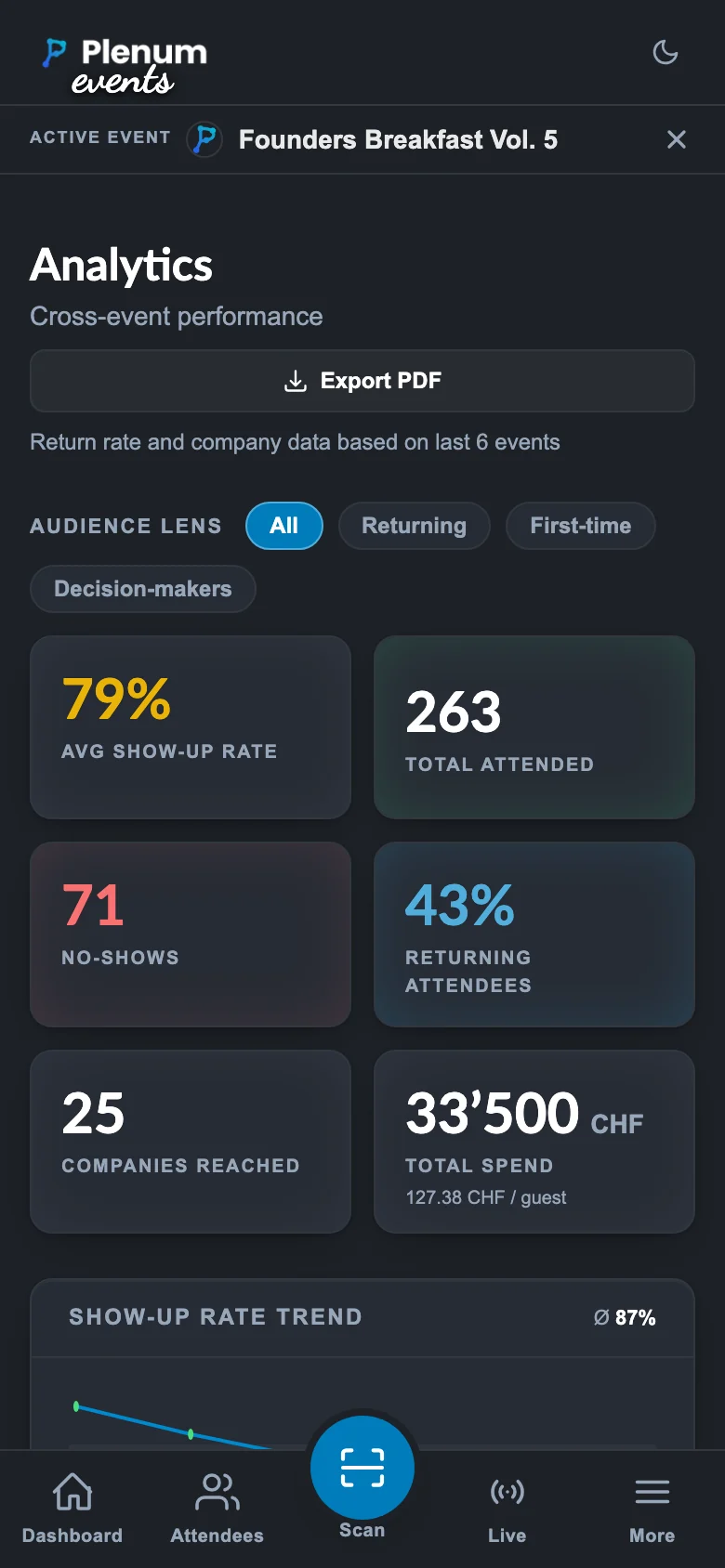
Analytics & reporting

Know what worked, in numbers you can take to management.
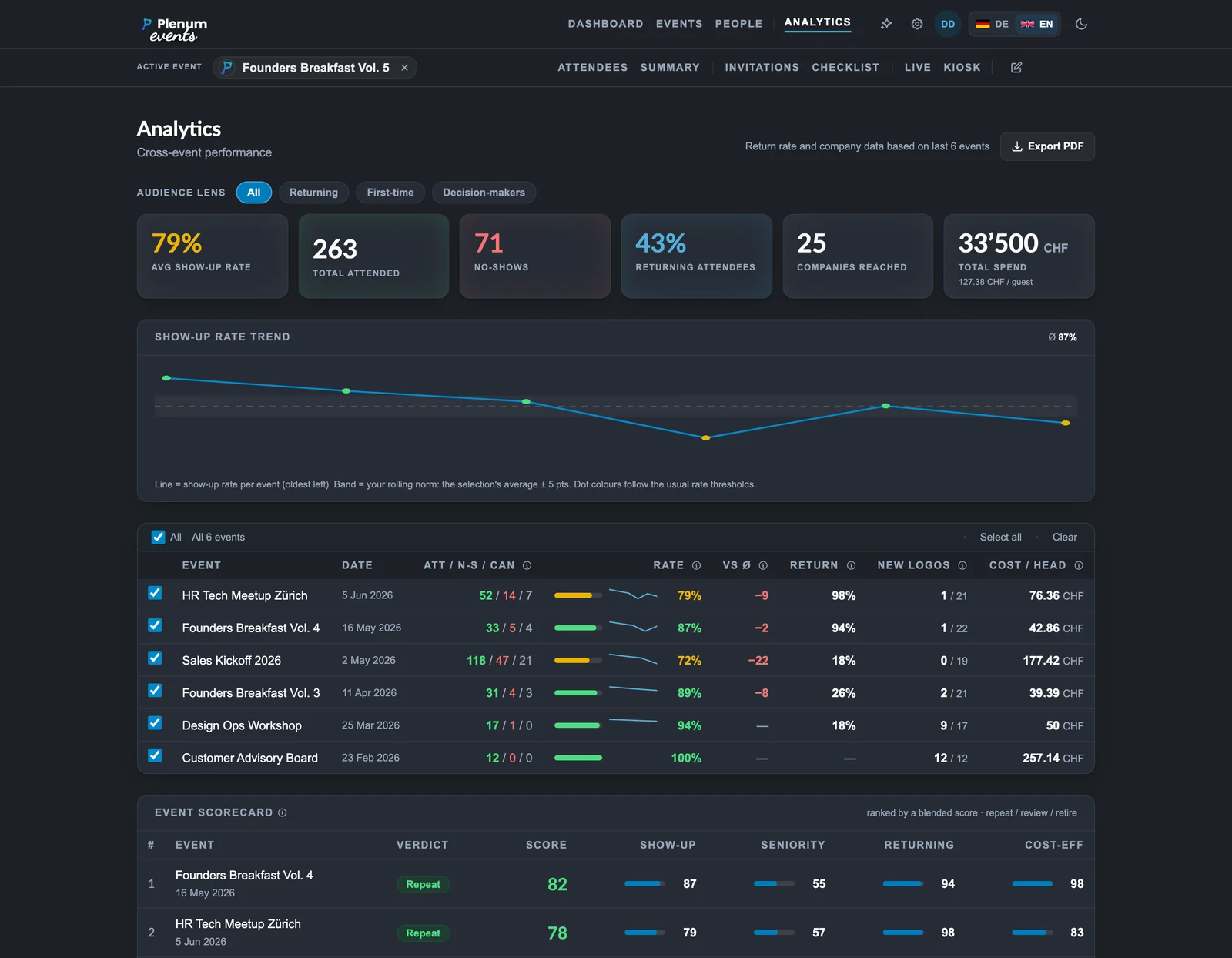
  • Cross-event scorecard: repeat, review or retire
  • Who-shows-up audience segments
  • Turnout forecast for upcoming events
  • No-show risk flags and company reliability tags
  • Public funnel without any personal data
  • Cost per head, per guest and per lead, plus no-show wasted spend
  • Optional pipeline ROI from attended contacts’ deals
  • CSV, roster, QR badge and name-tag PDFs
  • A ready-made management report PDF
The cross-event analytics page
Analytics & reporting on a phone

08

Native to HubSpot

Plenum reads and writes the contacts you already keep in HubSpot. An active HubSpot account is required.
  • Requires an active HubSpot account (any plan)
  • Statuses live in HubSpot Marketing Events
  • Import from any HubSpot list with a searchable picker
  • Contact properties for QR and cancel links
  • Per-status static lists
  • Check-in notes on the contact timeline
  • Signed cancellation links you can embed in emails
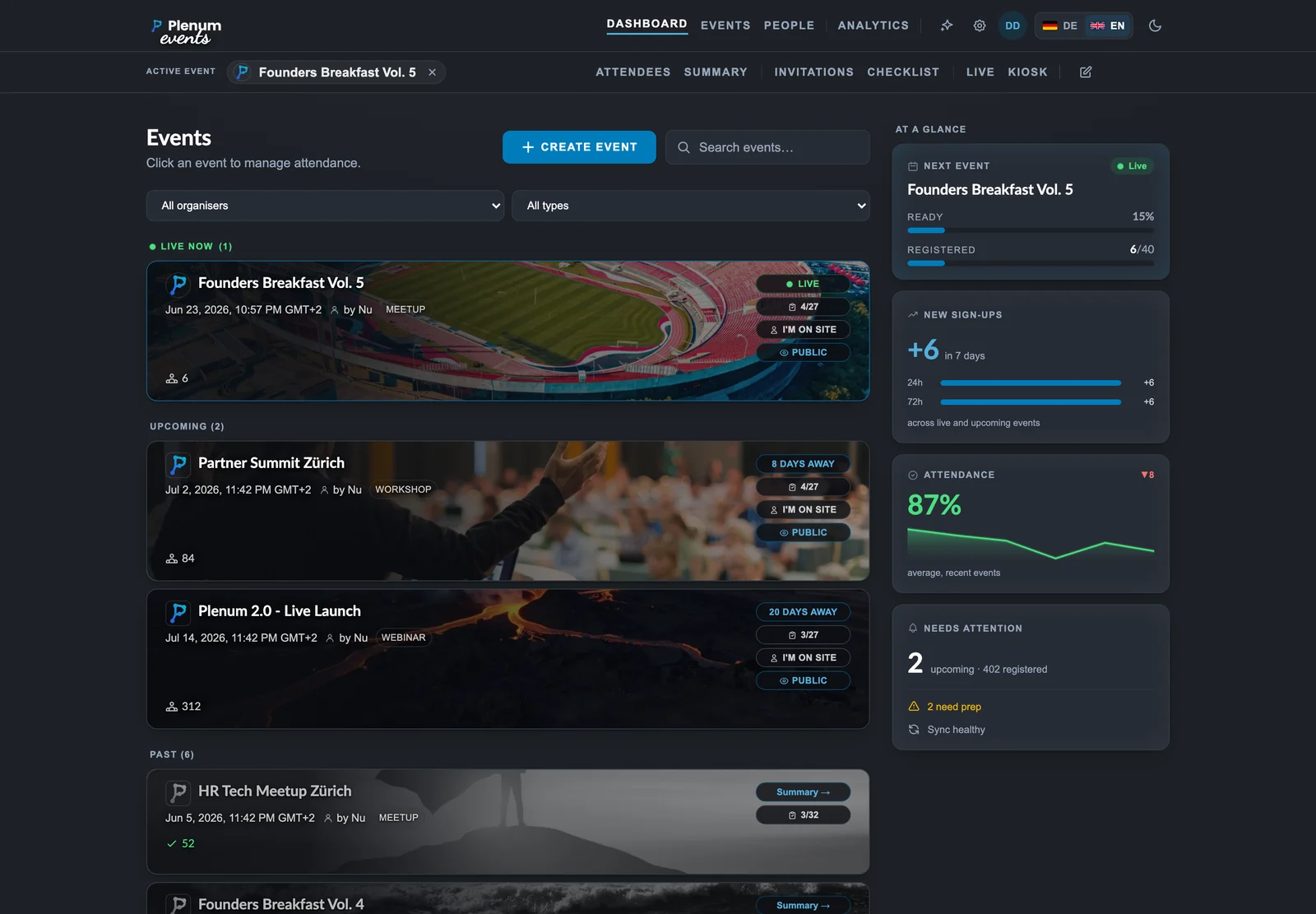
The Plenum dashboard
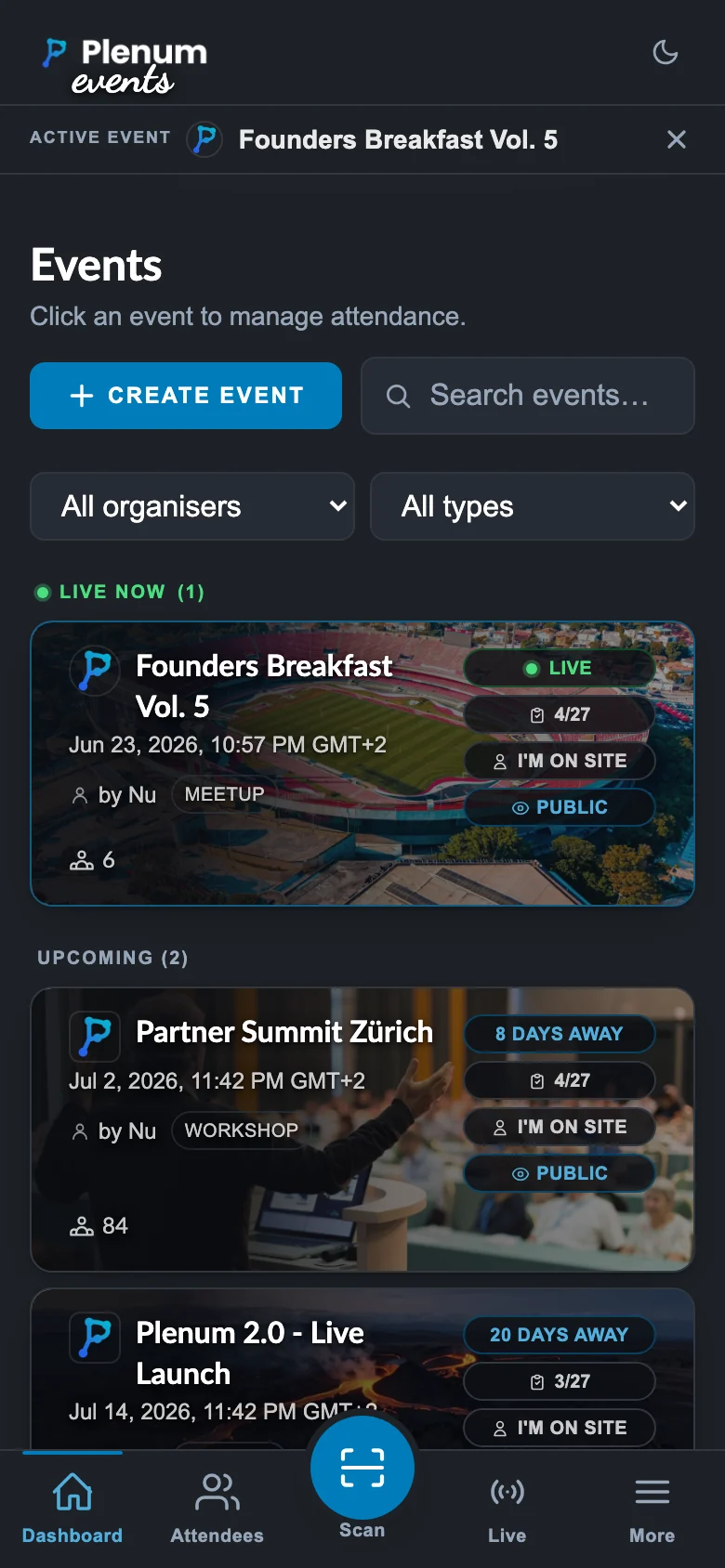
Native to HubSpot on a phone

09

Operations & reliability

A built-in diagnostics view tells you the system is healthy at a glance, and keeps the receipts.
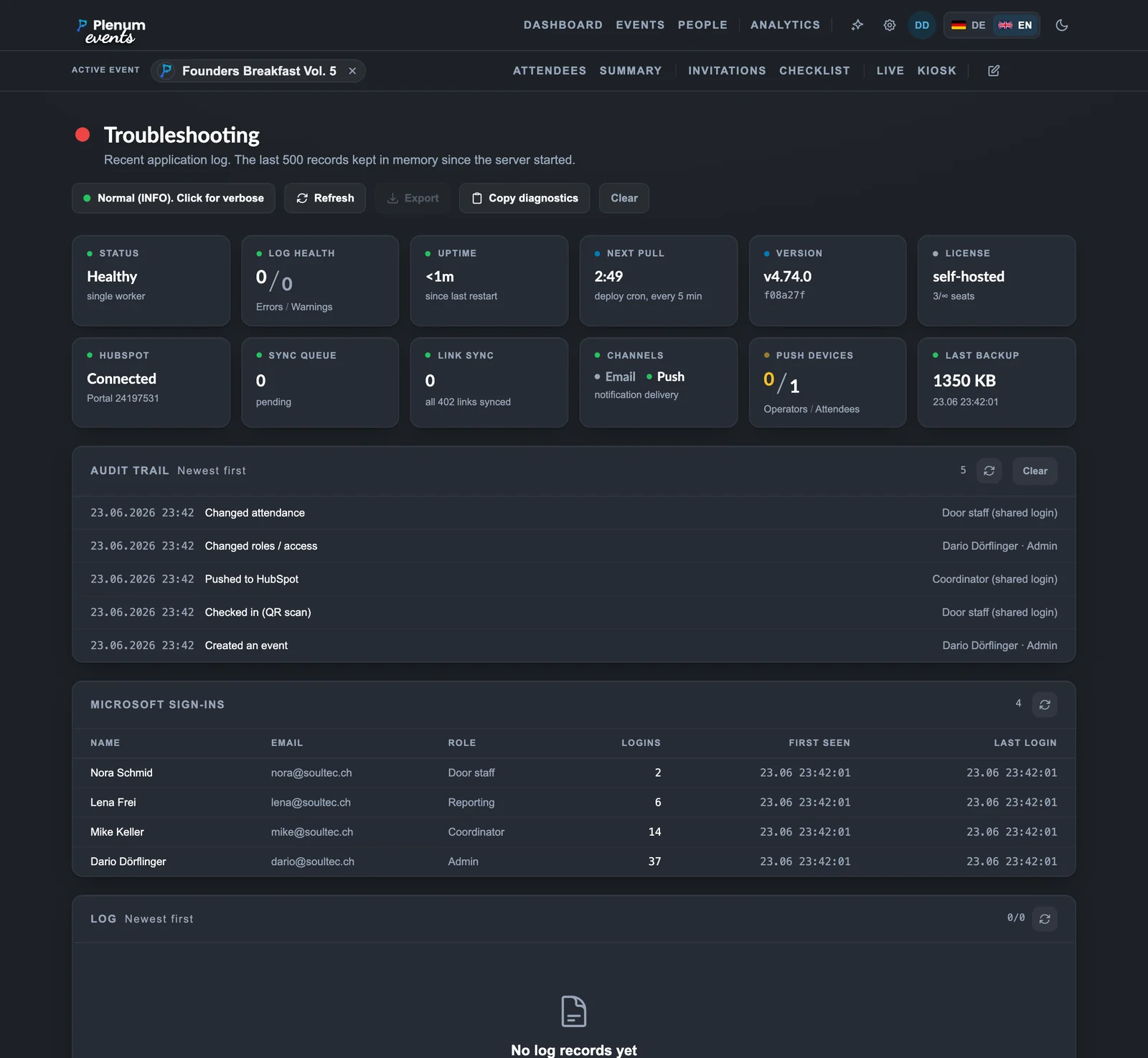
  • At-a-glance status: logs, uptime, HubSpot, sync queue
  • Offline-resilient check-in queue with a retry panel
  • Automatic daily backups and one-click in-app restore
  • An append-only audit log of who did what
  • Microsoft sign-in roster and per-role access
  • Live log viewer with a runtime verbosity toggle
The troubleshooting and diagnostics view, all green

And the details that matter

The quieter capabilities that make Plenum pleasant to run day to day.

Two languages

German and English on every surface, with a du/Sie setting and de-CH dates.

Your branding

Your logo, twelve colour schemes with a custom picker, plus dark and light themes.

Roles & audit log

Fine-grained view and act roles by password or Microsoft sign-in, with an audit trail.

Event planning

A collaborative per-event checklist with assignments, due dates and sign-off.

Backups & restore

Automatic daily backups and one-click in-app restore of everything stored locally.

Accessibility

An axe-core WCAG 2.x A and AA audit runs in CI across every rendered surface.

Self check-in Tap to begin
Check-in
Coming soon

Plenum on iPhone & iPad

A native app for iPhone and iPad. Run the door from your pocket with QR scanning and fast check-in, or turn an iPad into a self-check-in kiosk at the entrance, even when the wifi is shaky.

  • Native QR scanning at the door
  • Turn an iPad into a self-check-in kiosk
  • Fast check-in, online or off

Live demo

Bring your next event into Plenum

A short run through Plenum on a ready-made sample event, no HubSpot connection or sign-up needed. The whole flow in under thirty minutes.

Book a demo →

Plenum · bynu.ch